Home Lab Storage Options: NAS, SAN & Cloud Sync
A modern home lab is no longer just a playground for experimentation. It has become a serious environment for virtualization, container orchestration, self-hosting, media management, backups, and even small-scale production workloads. Storage sits at the center of this evolution. Choosing the right home lab storage option directly impacts performance, reliability, scalability, and long-term cost. NAS, SAN, and Cloud Sync each solve different problems, and understanding where they shine—and where they fail—is essential for building an efficient lab.
Table of Contents
- Understanding Home Lab Storage Foundations
- Network Attached Storage (NAS)
- Storage Area Network (SAN)
- Cloud Sync and Hybrid Storage
- NAS vs SAN vs Cloud Sync Comparison
- Designing a Hybrid Home Lab Storage Architecture
- Security, Redundancy, and Data Protection
- Future-Proofing Your Home Lab Storage
- Top 5 Frequently Asked Questions
- Final Thoughts
- Resources
Understanding Home Lab Storage Foundations
Home lab storage must balance competing priorities. Performance drives virtual machine responsiveness. Capacity determines how long data can grow without disruption. Reliability protects against hardware failure. Cost defines what is realistically sustainable over time. Unlike enterprise environments, home labs often operate under constrained power, cooling, and budget limits. This makes architectural efficiency critical. Storage choices should be aligned with workload characteristics, not theoretical maximums. Media libraries, backups, databases, and VM disks all behave differently under load, and no single storage model excels at everything.
Network Attached Storage (NAS)
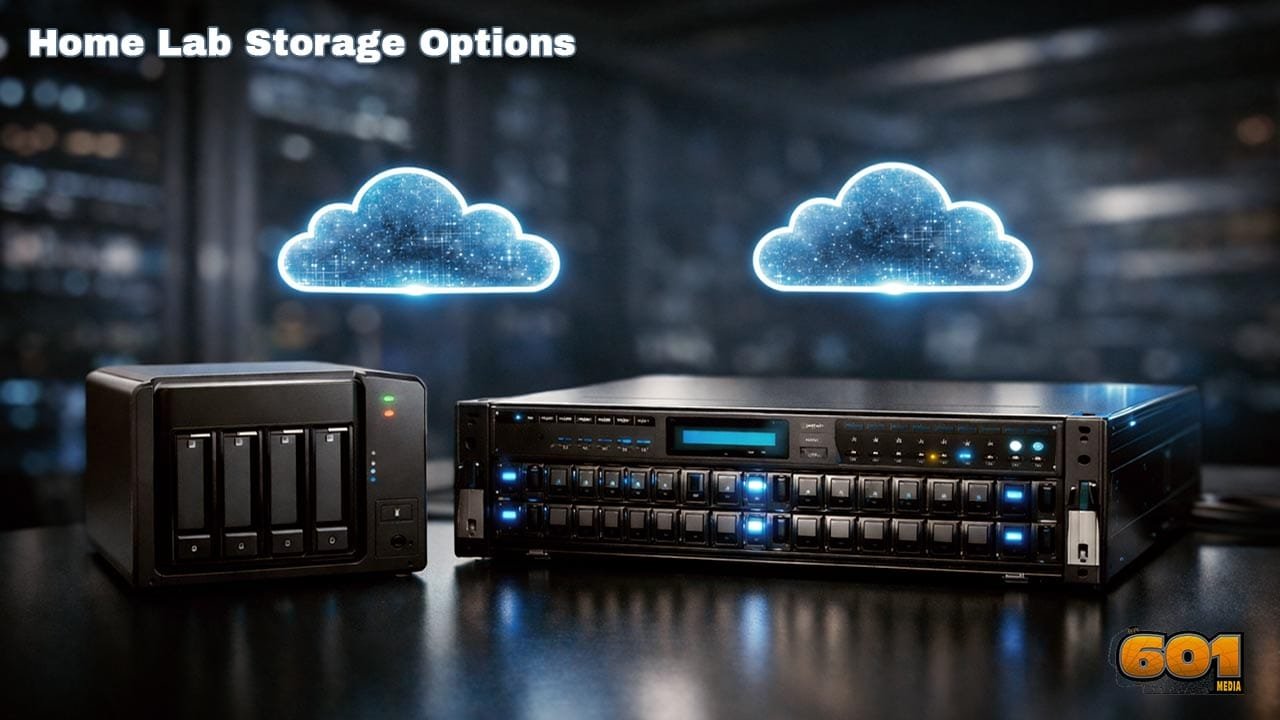
NAS is the most common starting point for home lab storage. A NAS device is a dedicated file server connected to the network, typically accessed using protocols such as SMB, NFS, or AFP. Modern NAS platforms combine storage, compute, and management into a single appliance or DIY server. NAS excels at centralized file storage, media serving, backups, and light virtualization. Its strength lies in simplicity. Setup is fast, management is intuitive, and scaling capacity is usually as easy as adding disks. Performance depends heavily on network speed and disk configuration. A NAS running on gigabit Ethernet with mechanical drives will bottleneck quickly under VM workloads. However, 2.5GbE, 10GbE, SSD caching, and NVMe pools dramatically change the performance profile. From a cost perspective, NAS offers the best value per terabyte for most home labs. Power consumption is modest, and the learning curve is approachable. The tradeoff is limited block-level access and less predictable latency for performance-sensitive applications.
Storage Area Network (SAN)
SAN represents the most advanced and performance-oriented storage option available to home lab builders. Unlike NAS, SAN provides block-level storage over protocols such as iSCSI or Fibre Channel. To the host system, SAN volumes appear as locally attached disks. This architecture unlocks enterprise-grade capabilities. Virtualization platforms thrive on SAN storage due to low latency, consistent IOPS, and advanced features such as live migration and clustered file systems. SAN is not inherently expensive, but it is complex. It requires deeper networking knowledge, careful tuning, and disciplined configuration. Misconfigured SAN environments often perform worse than simpler NAS setups. For home labs focused on learning enterprise infrastructure, SAN delivers unmatched educational value. For casual use cases, it may be unnecessary overkill. Power draw, hardware costs, and operational overhead should be carefully considered before committing.
Cloud Sync and Hybrid Storage
Cloud Sync introduces an entirely different dimension to home lab storage. Rather than replacing local storage, cloud platforms extend it. Data is synchronized or backed up to remote infrastructure, providing off-site redundancy and global accessibility. Cloud Sync is ideal for backups, archival data, and collaboration workflows. It protects against catastrophic local failures such as fire, theft, or electrical damage. However, it is not designed for low-latency workloads. Bandwidth limitations, recurring subscription costs, and data egress fees must be factored into long-term planning. Encryption and access control are mandatory when cloud storage is involved. A hybrid approach—local NAS or SAN paired with cloud sync—has become the de facto best practice for resilient home labs.
NAS vs SAN vs Cloud Sync Comparison
NAS delivers simplicity, affordability, and versatility. SAN delivers performance, scalability, and enterprise realism. Cloud Sync delivers resilience and geographic redundancy. NAS is file-centric and user-friendly. SAN is block-centric and performance-driven. Cloud Sync is availability-centric and location-agnostic. The correct choice is rarely exclusive. Most advanced home labs blend these models based on workload sensitivity, budget, and growth expectations.
Designing a Hybrid Home Lab Storage Architecture
A well-designed home lab storage architecture separates concerns. High-IO workloads such as VM disks and databases benefit from SAN or SSD-backed NAS pools. Media libraries and backups belong on high-capacity NAS arrays. Critical data is synchronized to the cloud. Network segmentation improves performance and security. Dedicated storage VLANs reduce congestion. Redundant networking paths improve resilience. Storage tiering maximizes value. Frequently accessed data stays on fast media. Cold data migrates to slower, cheaper disks or cloud archives. Automation reduces manual intervention and human error.
Security, Redundancy, and Data Protection
Storage without protection is a liability. RAID is not a backup. Snapshots protect against logical corruption but not physical disasters. Cloud backups close this gap. Encryption at rest and in transit is essential, even in home environments. Access control should follow the principle of least privilege. Monitoring storage health prevents silent data degradation. Redundancy should be layered. Disk redundancy, power protection, network failover, and off-site replication work together to prevent data loss.
Future-Proofing Your Home Lab Storage
Storage demands grow faster than expected. Design with expansion in mind. Choose platforms that support additional disks, faster networking, and newer protocols. Energy efficiency matters. Storage runs 24/7. Efficient hardware reduces operating costs over time. Software-defined storage provides flexibility without locking into proprietary ecosystems. The most future-proof home labs treat storage as an evolving service rather than a fixed asset.
Top 5 Frequently Asked Questions
Final Thoughts
Home lab storage is not about choosing the most powerful option. It is about aligning technology with intent. NAS offers accessibility, SAN offers performance, and Cloud Sync offers protection. The strongest home labs combine these models into a cohesive, scalable strategy. Thoughtful storage design transforms a home lab from a hobby into a reliable, professional-grade platform.
Resources
- SNIA Storage Networking Fundamentals
- VMware Storage Best Practices Documentation
- NIST Data Storage Security Guidelines
- Backblaze Hard Drive Reliability Reports

I am a huge enthusiast for Computers, AI, SEO-SEM, VFX, and Digital Audio-Graphics-Video. I’m a digital entrepreneur since 1992. Articles include AI researched information. Always Keep Learning! Notice: All content is published for educational and entertainment purposes only. NOT LIFE, HEALTH, SURVIVAL, FINANCIAL, BUSINESS, LEGAL OR ANY OTHER ADVICE. Learn more about Mark Mayo